kikita & Maps

GIS,spatial and artificial intellegence learning and share

CityEngine 的CGA建模过程是个不断迭代繁衍的过程,我们将这个过程想象成一棵树。

通过 Shapefile,File Geodatabase,AutoCAD DXF 这些矢量数据格式导入CityEngine中的2D基面(Footprint),通常称为 CityEngine Initial Shape,这是这棵树的根节点。通过CGA中的命令符 --> ,将一个shape经过各种形状(Geometry)和位置(Pivot,Scope) 的函数操作,生成另一个shape。直到最后,模型建立,最终的shape节点,通常称为 CityEngine Leaf Shape

这个细节的概念,在2013年的开发者大会中提过一次,结合模型层次结构的幻灯片理解下:

完整的幻灯片可以点 这里 下载。

为什么说是“迭代繁衍”? 因为除了 Leaf Shape 之外的所有shape 在建模过程中都被紧跟它其后的shape替代而消亡了。

举例子,在这条规则中,

1
2
A --> function() B 
B --> function() C

这条规则中 ,A shape 对象已经消亡被B替代,在后续的规则中无法再调用到 A, 如果希望取到与A相同的对象,就需要提前复制出来,如下:

1
2
3
A --> Anew function() B            //A被复制而创建了分支
B --> function() C
Anew --> function() D

了解了这些,那么我们可以进一步回答这个问题:“如何将CityEngine规则建模的模型导出成各组件独立存储的模型?”

可以的,再导出FileGDB或 Scene Layer Package的时候选中 “One Feature per Leaf Shape” 即可。

Read more »

Esri CityEngine 是一款面向于大规模城市规划行业的,交互式、沉浸式高级三维建模软件,相比传统建模更加高效省时。 通过CityEngine我们可以基于现实世界的GIS数据,构造城市的现实状态,模拟城市的历史风貌,设计城市的未来蓝图。

如何申请Esri CityEngine 30天试用?

Step 1

访问Esri官方试用地址:https://www.esri.com/en-us/arcgis/products/esri-cityengine/trial

点击“Start CityEngine Trial

Step 2

创建一个Esri账号,点击“Create a Public Account”; 如果已经拥有过 Esri 账号,可以直接登录。

PS:每个邮箱只能申请一次试用。请申请试用时,确保邮箱是第一次注册。

​ 国内不建议使用Facebook和Google账户登录,避免后续登录的麻烦,你懂的。

Read more »

​ CityEngine的同义词几乎就是“规则建模”,规则指的是CGA脚本。说到脚本,很多用户又会联想到 Python, 衍生出来的问题就是,“CityEngine中是用python脚本建模吗?” 答案是No。

​ CityEngine中确实也引入了python,只不过使用python的姿势不是建模,而是自动化。通过python脚本,可以增强CityEngine的建模功能,自动化驱动脚本建模工作流,提高建模效率。我们既可以在控制台交互式执行python命令,也可以在python editor 中书写python执行文件,甚至可以将一些自定义功能扩展到CityEngine中。如下是CityEngine官方教程中的几个示例代码:

Example 1 选择部分对象

1
2
3
4
5
6
7
8
9
10
11
12
13
14
15
16
17
18
19
20
'''
Created on 2018-4-9
@author: kikita
'''
from scripting import *

# get a CityEngine instance
ce = CE()

def selectByAttribute(attr, value):
objects = ce.getObjectsFrom(ce.scene)
selection = []
for o in objects:
attrvalue = ce.getAttribute(o, attr)
if attrvalue == value:
selection.append(o)
ce.setSelection(selection)

if __name__ == '__main__':
selectByAttribute("connectionStart","JUNCTION")

Example 2 修改对象属性

1
2
3
4
5
6
7
8
9
10
11
12
13
14
15
16
17
18
19
20
'''
Created on 2018-4-9
@author: kikita
'''
from scripting import *

# get a CityEngine instance
ce = CE()

''' increment the street width parameter of all selected street segments'''
# @noUIupdate
def incrementStreetWidths(increment):
selectedSegments = ce.getObjectsFrom(ce.selection, ce.isGraphSegment)
for segment in selectedSegments:
oldWidth = ce.getAttribute(segment, "/ce/street/streetWidth")
newWidth = oldWidth+increment
ce.setAttribute(segment, "/ce/street/streetWidth", newWidth)

if __name__ == '__main__':
incrementStreetWidths(10)

Example 3 动态模拟建筑物生长

1
2
3
4
5
6
7
8
9
10
11
12
13
14
15
16
17
18
19
20
21
22
23
24
25
26
27
28
29
30
31
'''
Created on 2018-4-12
@author: kikita
'''
from scripting import *

# get a CityEngine instance
ce = CE()

def growBuilding():
for i in range(1,14):
height = 20+i
doStep(i,height,1)
for i in range(15,35):
height = 34
width = i-14
doStep(i,height,width)

def doStep(i,height,width):
object = ce.getObjectsFrom(ce.scene, ce.withName("'Lot1'"))
ce.setAttributeSource(object, "height", "OBJECT")
ce.setAttributeSource(object, "width", "OBJECT")
ce.setAttribute(object, "height", height)
ce.setAttribute(object, "width", width)
Generate(object)

def Generate(object):
ce.generateModels(object)

if __name__ == '__main__':
growBuilding()

Example 4 陈列资源库

1
2
3
4
5
6
7
8
9
10
11
12
13
14
15
16
17
18
19
20
21
22
23
24
25
26
27
28
29
30
31
32
33
34
35
36
37
38
39
40
41
42
43
44
45
46
'''
Created on 2018-4-12
@author: kikita
'''
from scripting import *

# get a CityEngine instance
ce = CE()

def writeCGAlib():
# open the cga file to be written
cga = "/*Asset Library Loader : Generated by asset_lib.py*/\n version \"2014.0\"\n\n"
# write start rule
cga += "Lot --> Geometries Textures"
# write rule showing geometries
cga += "\n\nGeometries --> "
# get all .obj files from asset directory, and call their loader
for obj in ce.getObjectsFrom("/", ce.isFile, ce.withName("/Tutorial_10*/assets/*.obj")):
# and write
cga += "\n\t t(2,0,0) Geometry(\""+obj+"\")"
print obj
# write rule showing jpg textures
cga += "\n\nTextures --> \n\ts(1,0,0) set(scope.tz,0) set(scope.ty,3) i(\"facades/xy-plane.obj\")"
# get all .jpg files from asset directory, and call their loader
for jpg in ce.getObjectsFrom("/", ce.isFile, ce.withName("/Tutorial_10*/assets/*.jpg")):
cga += "\n\tt(2,0,0) Texture(\""+jpg+"\")"
#write geometry loader rule
cga += "\n\n Geometry(asset) --> s(1,0,0) i(asset) set(scope.ty,0) set(scope.tz,0)"
#write texture loader rule
cga += "\n\n Texture(asset) --> set(material.colormap, asset)"
cgafile = ce.toFSPath("rules/asset_lib2.cga")
CGA = open(cgafile, "w")
CGA.write(cga)
CGA.close()
print "written file "+cgafile

def assignAndGenerateLib():
object = ce.getObjectsFrom(ce.scene, ce.withName("'Lot2'"))
ce.refreshWorkspace()
ce.setRuleFile(object, "asset_lib2.cga")
ce.setStartRule(object, "Lot")
ce.generateModels(object)

if __name__ == '__main__':
writeCGAlib()
assignAndGenerateLib()
Read more »

摄于 2014-5-9, Acropolis, Athens, Greece

CityEngine的教程中刚好有个Parthenon Temple 的 Demo

不禁会想起在雅典卫城里它的断壁残垣,晒晒我们的合影

不知道几年过去,修复工作又向前推进了多少

那些带有编号的石头是不是已经归位了呢

整个卫城中我最喜欢的是上图中最后一张的“厄瑞克忒翁神庙”,据说用于供奉雅典娜、波塞冬和英雄厄瑞克忒翁。

神庙一侧的女神柱像精致优美,即使经过了这么多的时光,都可以感受到雕刻师的精湛技艺。

厄瑞克忒翁神庙

Read more »

​ 接着上一篇

​ 为了让脚本看起来更连贯,无需跳转上一篇,我们从头开始。

1
2
3
4
5
6
7
8
9
10
11
12
13
14
15
16
17
18
19
20
21
/**
* File: MyTestforBaseTexure.cga
* Created: 30 Mar 2018 08:16:37 GMT
* Author: Xiaoyan Mu
*/

version "2017.1"
attr height = 10
attr groundfloor_height = 4
attr floor_height = 3.5
attr tile_width = 3.5

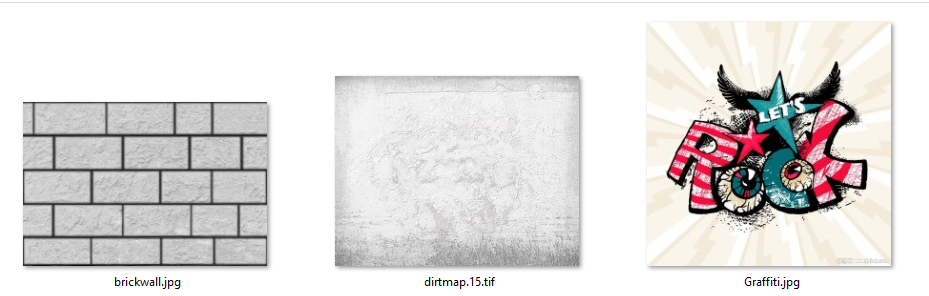
wall_tex = "facades/textures/brickwall.jpg"
dirt_tex = "facades/textures/dirtmap.15.tif"
graffiti_tex = "facades/textures/Graffiti.jpg"
window_tex = "facades/textures/window.5.tif"

Lot --> extrude(height) Building

Building --> comp(f) {front : Sidefacade}

​ 假设我希望在这面墙上“凿”出窗户,就需要将Sidefacade进行细化切割。贴纹理时也要注意一下新的技巧,也就是在细分表面之前先定义纹理UV,细分之后再用上一篇中提到的贴纹理的方法应用到Wall,这样就可以得到连续的墙体贴图。这样的做的原因在于,CE中的shape都是被不断迭代替换的,如果不在细分之前定义UV,Sidefacade对象在细分之后已经消亡了。

1
2
3
4
5
6
7
8
9
10
11
12
13
14
15
16
17
18
19
20
21
22
23
24
25
26
27
28
29
30
# Sidefacade is modified

Sidefacade -->
# Setup texturing
setupProjection(1, scope.xy, 1.5, 1)
setupProjection(2, scope.xy, scope.sx, scope.sy)
# Divide Sidefacade
split(y){ groundfloor_height: Wall | {~floor_height : Floor}* }

Floor -->
split(x){ 1 : Wall | { ~tile_width : Tile }* | 1 : Wall }
Tile -->
split(x){ ~1 : Wall | 2 : split(y){ ~1: Wall | 1.5: Window | ~1: Wall } | ~1 : Wall }

Wall -->
# Apply the texture
set(material.bumpmap,wall_tex)
set(material.dirtmap, dirt_tex)
projectUV(1)
projectUV(2)

Window -->
offset(0.05)
comp(f) { inside: WondowInner | border: WondowFrame }
WondowInner -->
setupProjection(0, scope.xy, scope.sx, scope.sy)
texture(window_tex)
projectUV(0)
WondowFrame -->
extrude(0.1)

material.opacitymap

material.opacitymap 通道可以用于控制纹理的透明度。

继续上面的例子,如果希望做出透明的窗户效果,可以将Window的代码替换为如下的样子。

Read more »
0%